Set-up 1-way Texting:
You can text your customers from a single company number!
- Appointment Notices / Reminders
- Service Reports - (Digital Door hanger, Work Ticket, etc..)
- Custom Message - Type from the computer or device to send to your customers
- Quotes
To setup your texting, please visit this page to complete the enrollment form
https://poolofficemanager.com/texting - SIGN UP Link
Note: Text messages can be sent, all replies to your texting message will receive an autoreply stating that the phone number does not accept text messages.
Pricing (Updated January 1, 2026):
-
Monthly fee for the phone number — $10
-
Cost per text message — 2 cents per message & 4 cents per picture
(Example: Monthly fee + 200 texts with 100 pictures = $10 + $4 + $4 = $18 total)
Appointment Texts
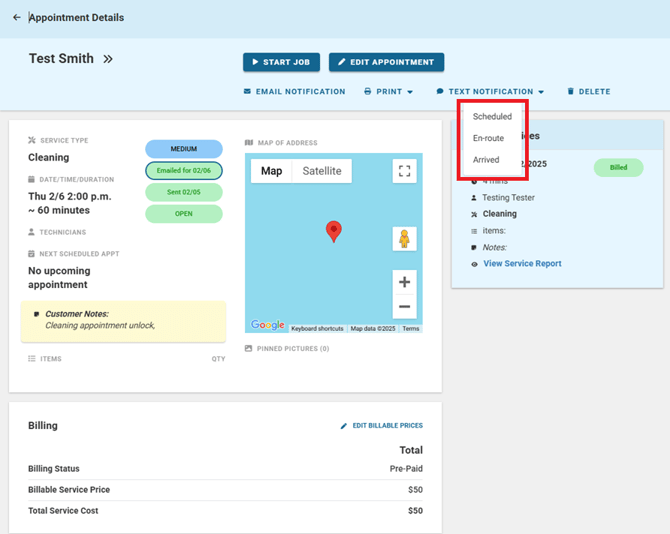
When you access an appointment page and click the text button, you will be presented with three options:
- Scheduled: “From: ‘Company Name’ — Appointment Scheduled for ‘Date’ for ‘Service Type’. Appt notes: ‘Customer Notes’
- En Route: ‘Company Name’ your service professional is on the way.
- Arrived: ‘Company name’ has arrived!
Text Completed Services
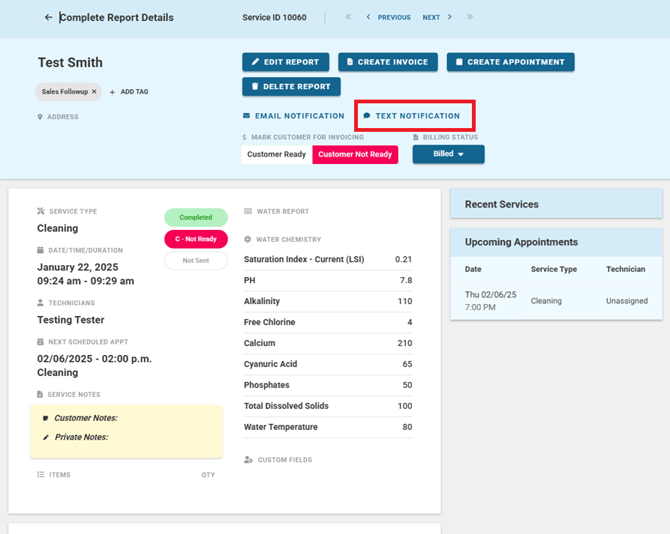
When a service is completed, you can send both the service notes and accompanying images to your customers.
- Message: ‘Company Name’ has completed service.
- Service notes: “Customer Service Notes”
- Pictures will be included as well
Custom Texts
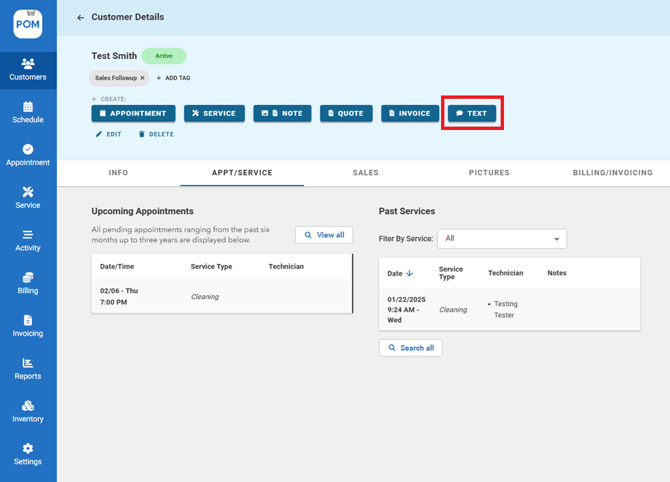
Customer> Customer profile> Text. You can text from your computer or phone!
- Select the saved number that you’d like to text, type your message, and click send!
Refer to this article for detailed instructions on how to customize your text messaging settings.
Activating Texting on Your Account
- Texting is an add-on: request activation through support (help@poolofficemanager.com) and your dedicated company texting number is provisioned within 24–48 hours.
- The texting add-on is $18/month.
If Texts Aren't Sending
- Confirm texting is active on your account (see above) — sending before provisioning completes produces errors.
- Check the customer has a valid mobile number saved on their profile (landlines can't receive SMS).
- En-route and reminder texts require the appointment to have a customer with a mobile number attached.
- If you get a specific error code when sending, contact support with the code and the customer name.