- On both desktop and mobile devices, go to the menu, select your username, and click on "Clock In/Out."
Mobile
Web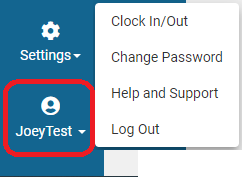
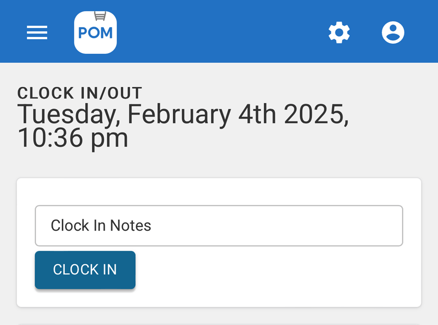
- Simply click "Clock In" to start your shift and add any optional notes.
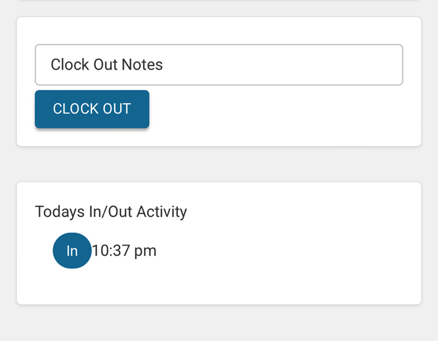
- Clock out with any optional notes to end the shift.
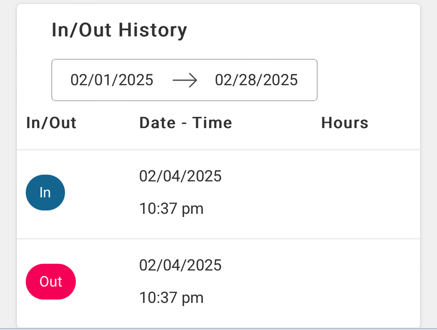
- Employees can view their own Hour History below:
Managing Hours
Managers can access the hours of a specific technician by navigating to Settings > Time Clock. If adjustments to the recorded hours are needed, managers have the ability to edit them as required.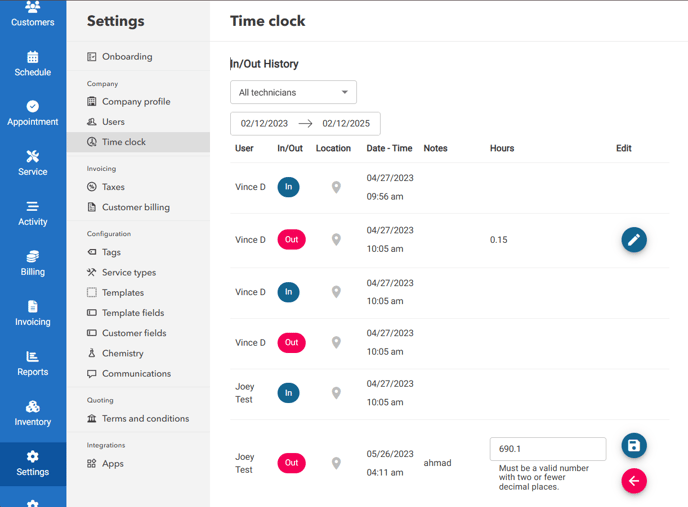
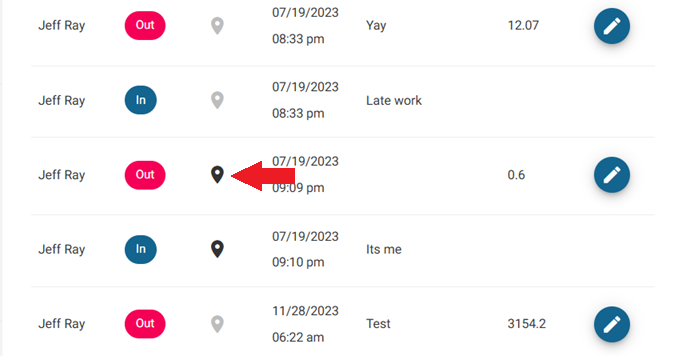
To view the location of the employee when they Clocked In/Out, select the map pin button.
Getting Hours Out for Payroll (QuickBooks or Other)
Time-clock data doesn't sync to payroll automatically — export it at the end of each pay period:
- Go to Settings > Time Clock and set the date range to your pay period.
- Review and adjust any entries that need correction (see above).
- Export the records to spreadsheet/CSV and import or key the totals into QuickBooks payroll or your payroll provider.
For a recurring payroll report, build and save a report in Reports filtered to your pay period so it's one click next time.
Related
Time Clock Usage — enabling and configuring the time clock · Export Your Data from POM