Send Appointment Notification
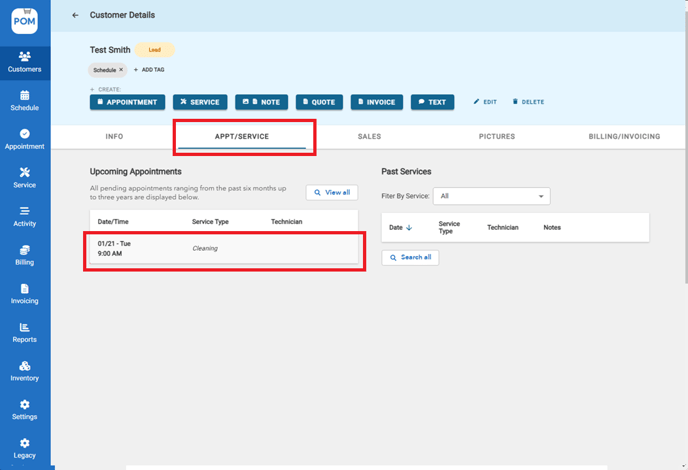
- Go to appointment details. Appointments can be easily accessed under the "Appt/Service" tab within the customer's profile.
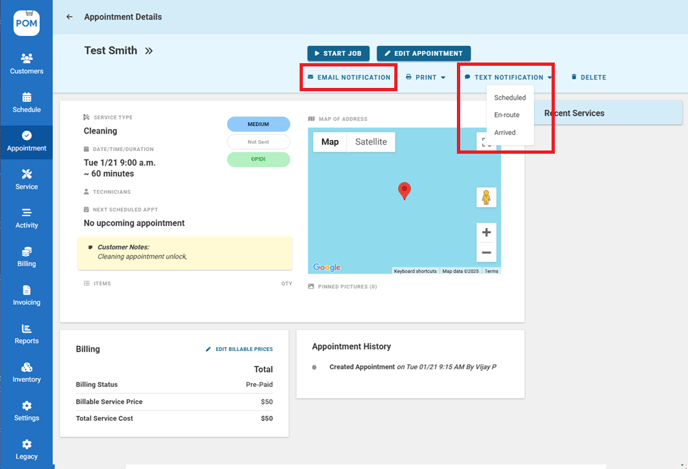
- Click "Email Notification" or "Text Notification" to send appointment reminders to customers.
- You can also send multiple email or text notifications by navigating to "Appointments" > "Actions."
