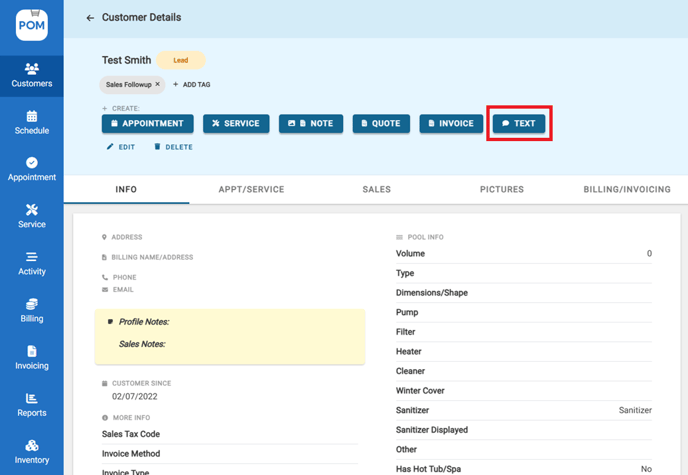
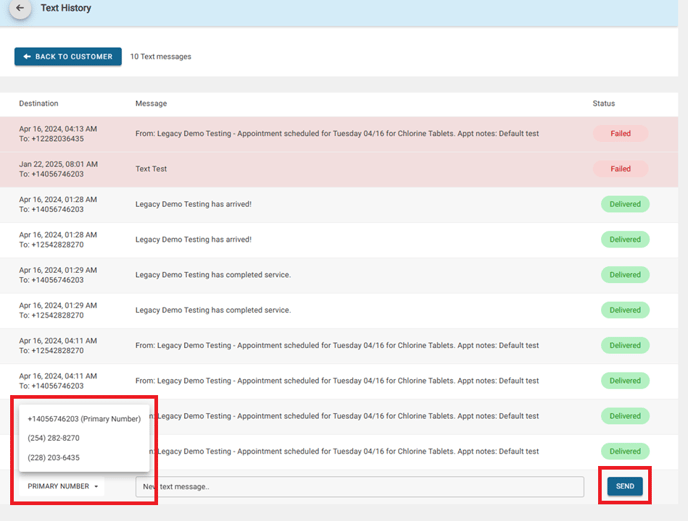
Sending Text Message to Customers Go to customer's profile > Click on the "Text" button. Text history displays all delivered and failed messages sent to the customer. Select the specific phone number you wish to send the message to. Enter your message and click "Send."