If you have 2 accounts in POM and 2 in QBO, and you'd like to transition to a single account, you will need to merge the data and inactivate the 2nd account.
POM uses the QBO ID to point at the correct account in QuickBooks. To fix the issue, you'll want the 'good; account in POM to point at the correct QBO customer.
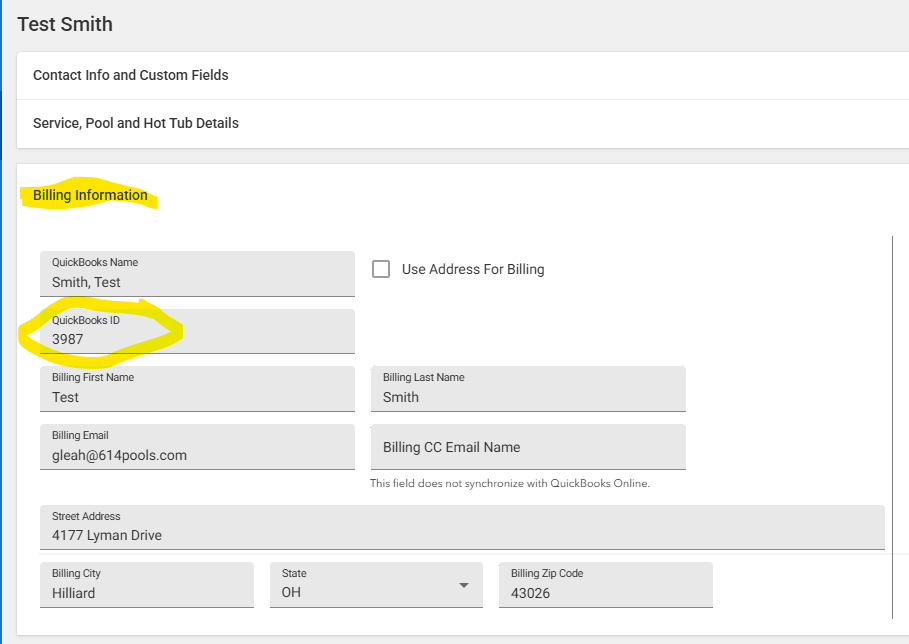
This corresponds the the QBO ID in your QuickBooks which can be found at the end of the website URL:
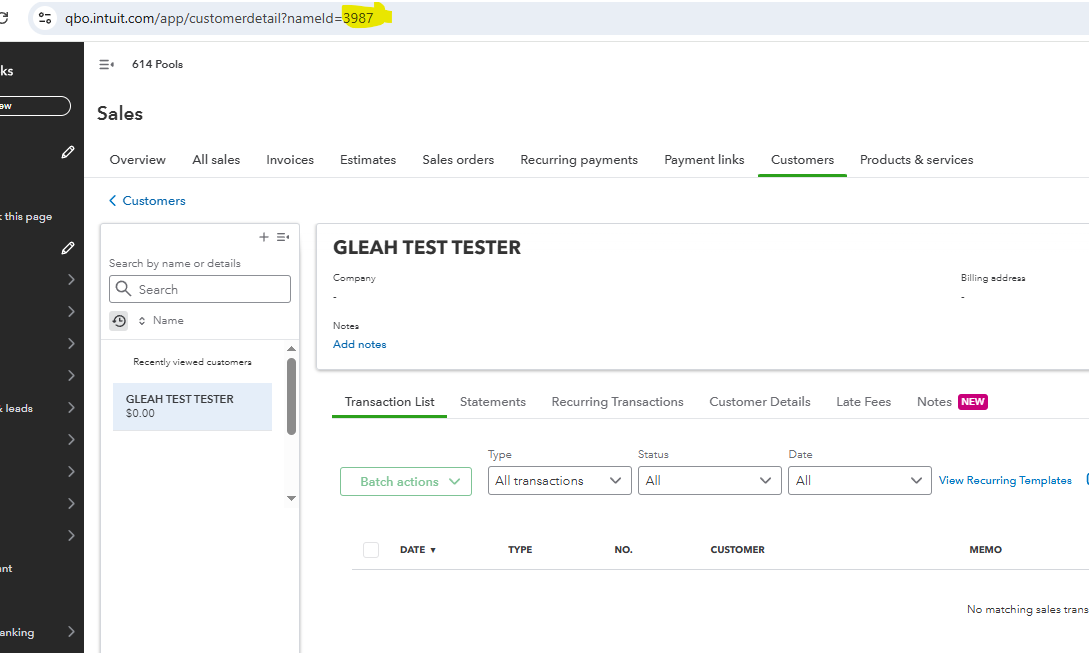
If the QBO ID is correct in POM follow these steps to resolve by moving POM data:
1. IN POM, open the 'Bad' Account in which you'd like to take existing appointments or services and move them to another account, if any.
2. Open each appointment or service and edit the customer and change it to the correct customer
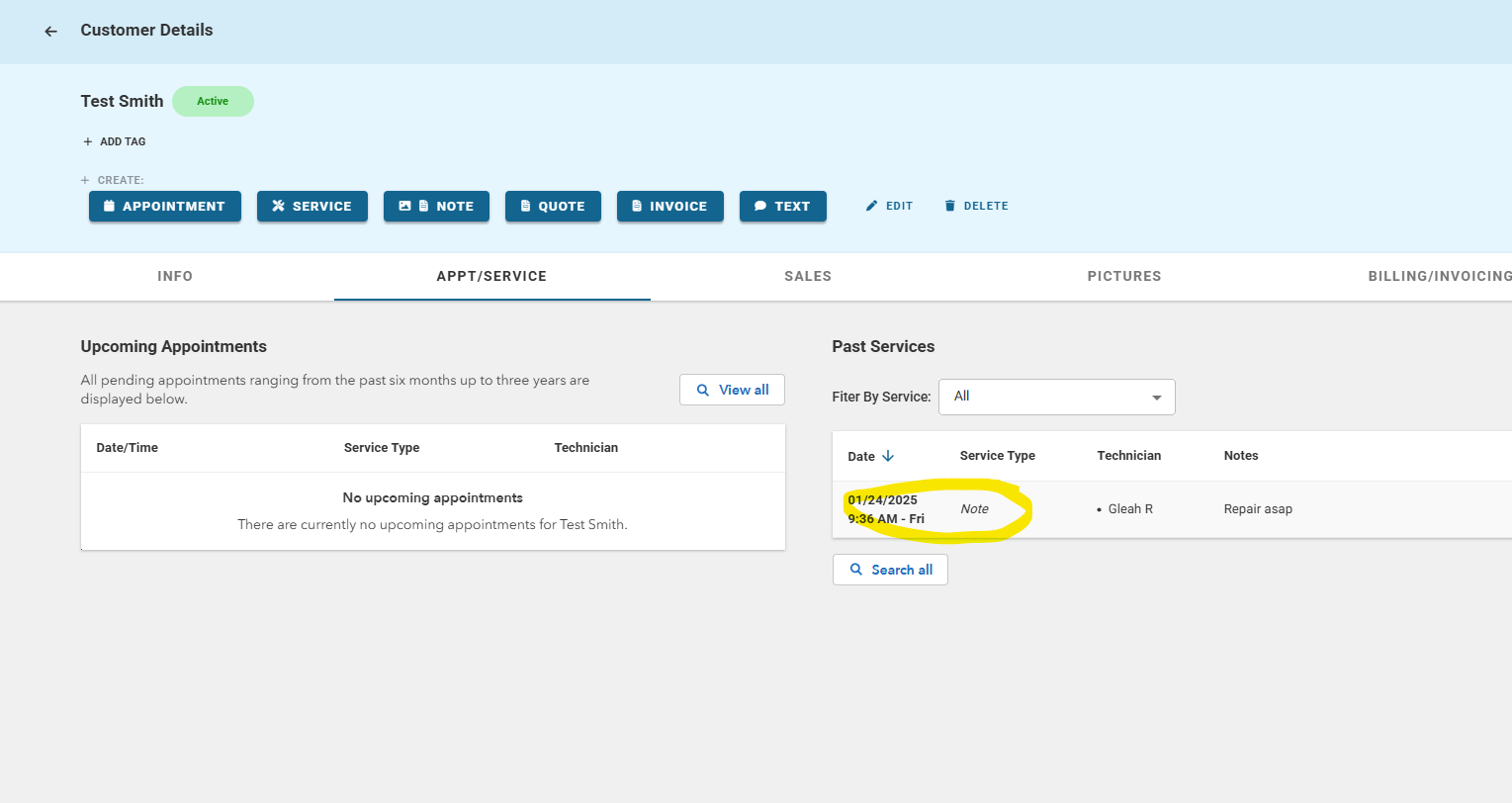
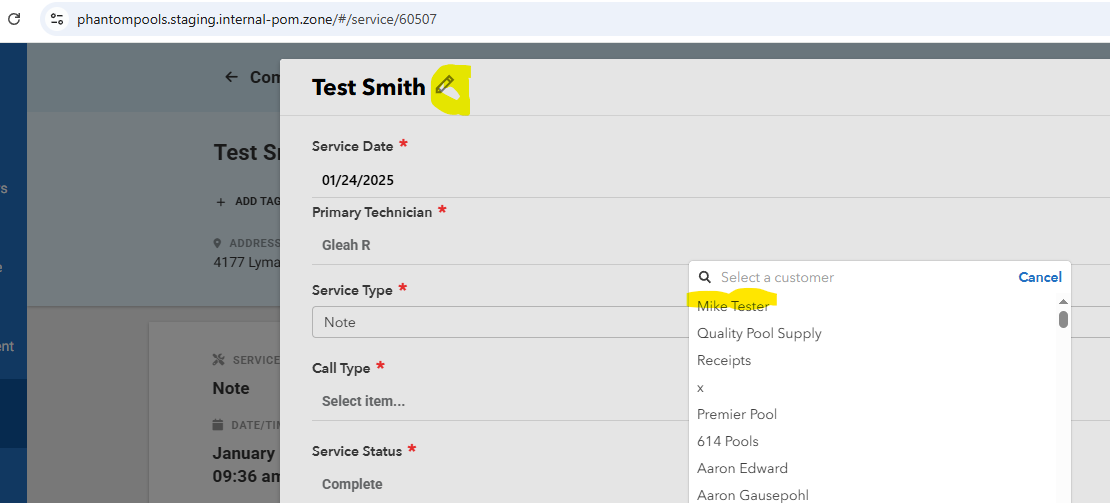
3. When all appointments and services and been edited, you can then set the customer to inactive:
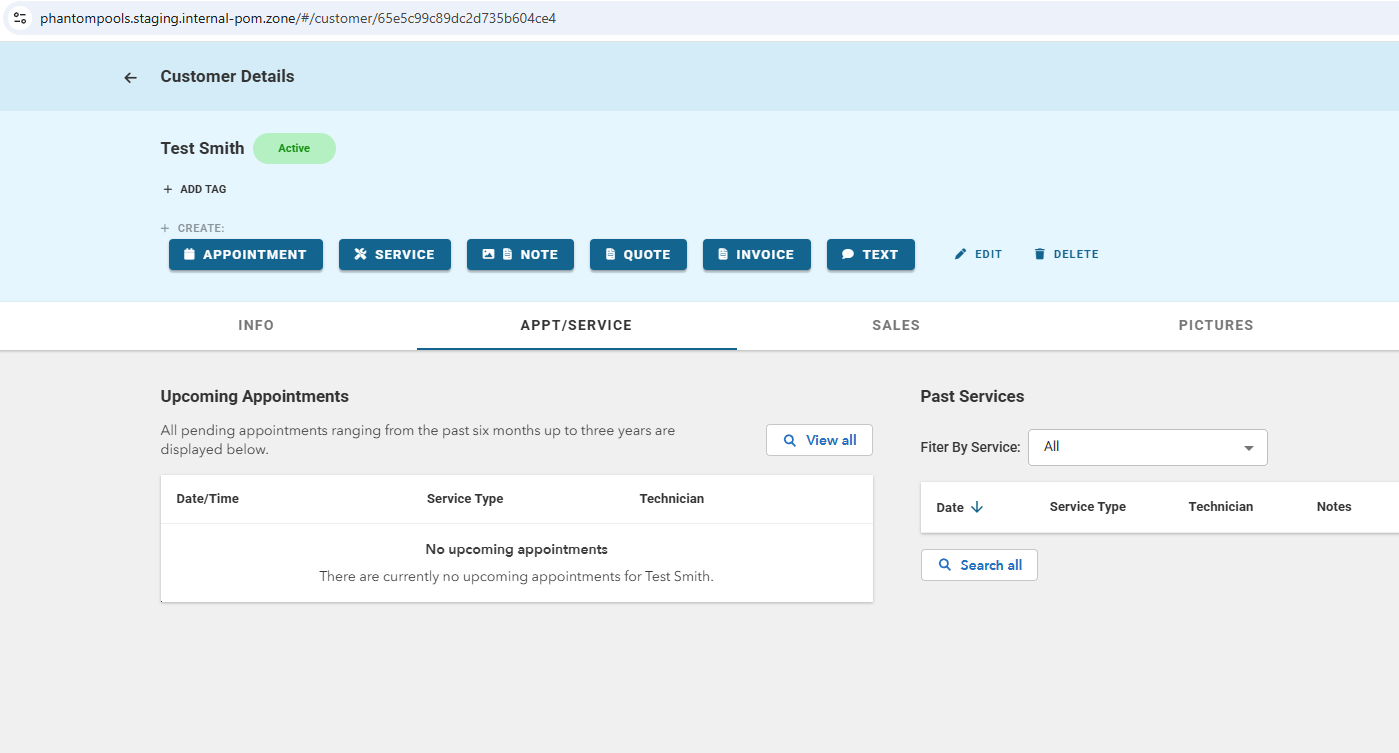
If POM data is correct but the QBO account is pointing at the wrong profile, follow these steps:
1. If any existing invoices need to be moved, in QuickBooks, open and edit the invoice and change the customer to the correct profile.
2. In POM, you will need to update the QBO ID to the correct account.
For example if the existing QBO ID is 3987, but the correct customer in QuickBooks has the ID of 2514, you will need to update POM:
Edit the ID:
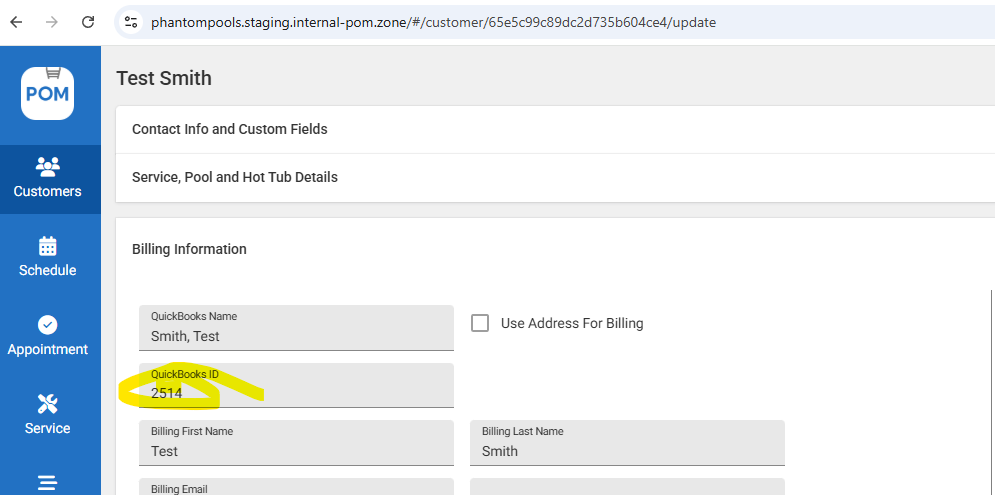
3. Save the profile in POM, then open the 'Bad' or incorrect profile in POM and change the QBO ID to the correct account and if needed, set the customer to Inactive.
Examples:
1.
You have duplicate customers in both systems, John Doe 1 and John Doe 2.
John Doe 1 has all of the POM history, jobs and appointments
John Doe 2 is connected to the right QuickBooks account but has no POM data.
For this scenario, you would update the QBO ID in POM for those 2 profiles, likely switching the QBO ID's and then save. This would resolve the issue and the correct POM account would point at the correct QBO account. IF the 2nd accounts are no longer needed, please set to InActive.
2.
You have duplicate customers in both systems, John Doe 1 and John Doe 2.
John Doe 1 has all of the POM history, jobs and appointments. He also has some recent invoices made on the wrong QBO account
John Doe 2 is connected to the right QuickBooks account but has no POM data and historical invoices that are accurate
For this scenario, you would first edit the existing invoices in QuickBooks and change the customer to the correct customer account in QBO and save so all invoices are under 1 correct account. Then you'd update the QBO ID in POM for those 2 profiles, likely switching the QBO ID's and then save. This would resolve the issue and the correct POM account would point at the correct QBO account. IF the 2nd accounts are no longer needed, please set to InActive.