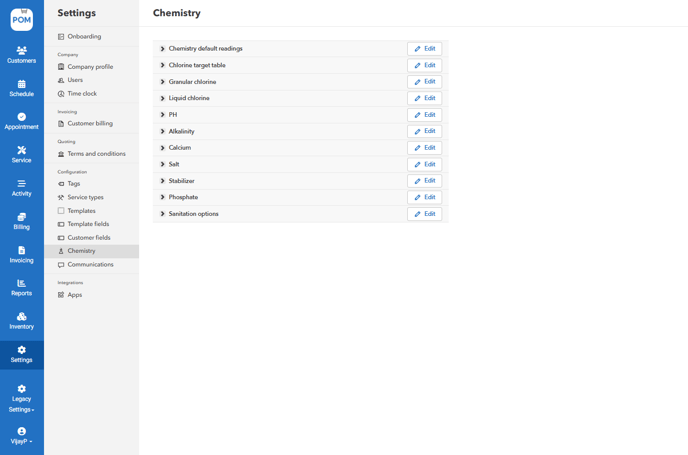
- Go to "Settings" > "Chemistry"
- Customize your "Chemistry default readings"
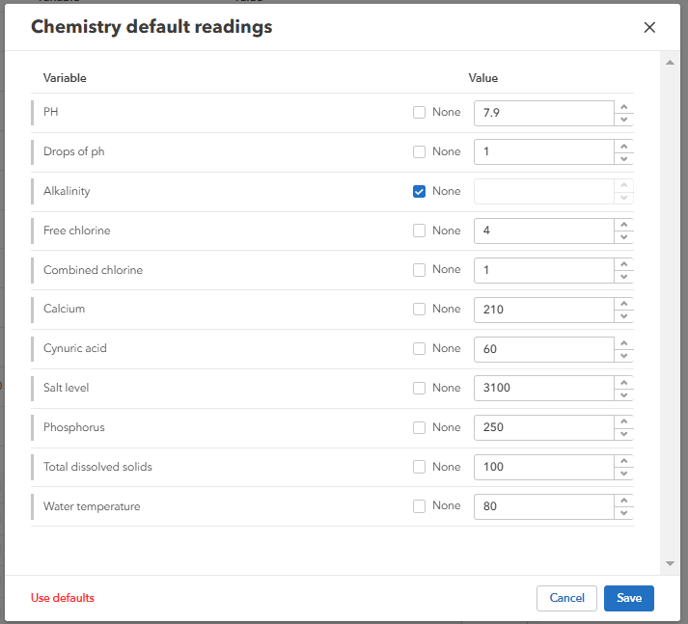
These will be used as your default chemistry readings for new customers when field users start a job.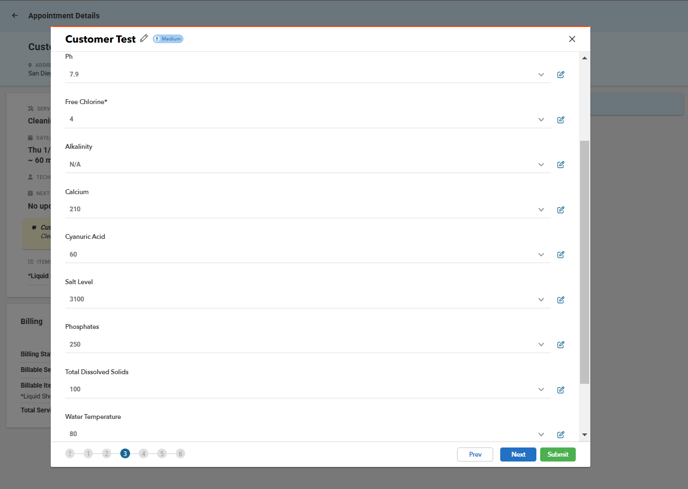
- Chlorine Target Table - Set the various combinations of Water Condition and Water Color to set the desired chlorine target level. Input a chlorine target ppm for each combination

- Granular & Liquid Chlorine - Adjust the level of coefficient, unit, and text displayed when the calculation is triggered.
Please be sure to test any changes in the module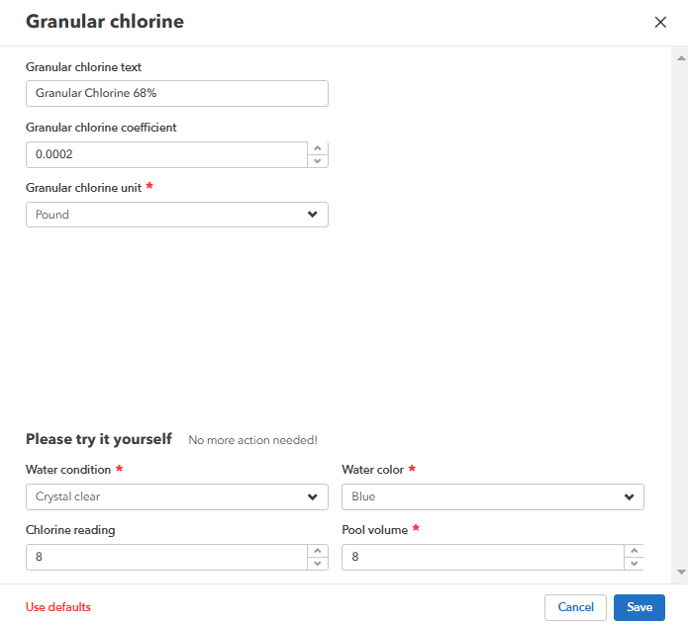
- PH
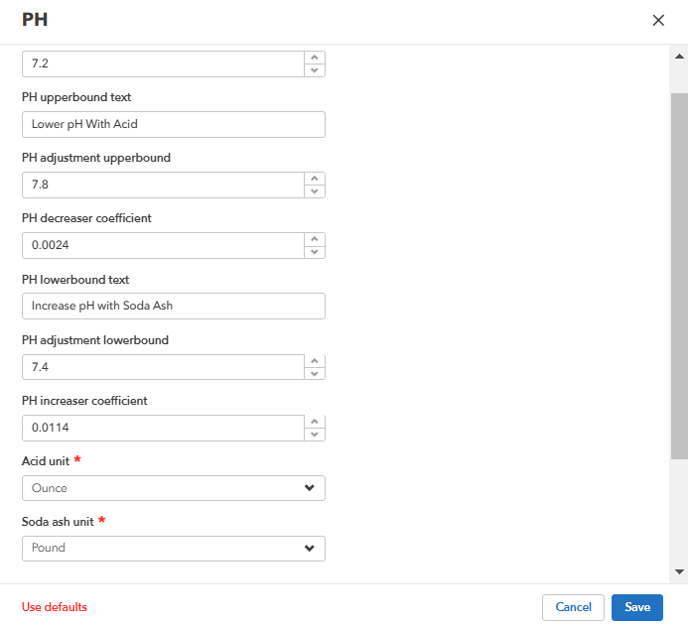
Target: Level in to calculate end-state chemistry adjustment
Upperbound Text: When The pH reading exceeds the upper bound level, this text appears
Adjustment Upperbound: The level when the reading is greater than to trigger a suggested adjustment.
Example 1: Reading is 8.0, upperbound target is 7.8, target 7.6 = output calculated to lower from 8.0 to 7.6
Example 2: Reading is 7.7 , upperbound is 7.8, target is 7.6 = output is not displayed, the reading is lower than the upperbound.
pH Decreaser coefficient: The mathematical coefficient in the pH formula to lower the pH level. The higher the number, the more acid will be used
Adjustment Lowerbound: The level when the reading is lower than to trigger a suggested adjustment.
pH Increaser coefficient: The mathematical coefficient in the alkalinity formula to raise the alkalinity level. - Alkalinity
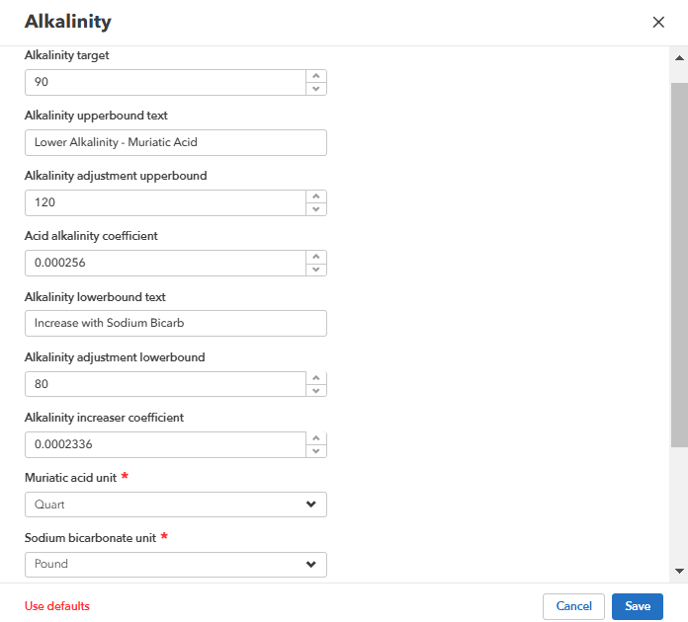
Target: Level in ppm to calculate end-state chemistry adjustment
Upperbound Text: When The Alkalinity reading exceeds the upper bound level, this text appears
Adjustment Upperbound: The level when the reading is greater than to trigger a suggested adjustment.
Example 1: Reading is 150, upperbound target is 120, target 100 = output calculated to lower from 150 to 100
Example 2: Reading is 110, upperbound is 120, target is 100 = output is not displayed, the reading is lower than the upperbound.
Acid Alkalinity coefficient: The mathematical coefficient in the alkalinity formula to lower the alkalinity level. The higher the number, the more acid will be used
Adjustment Lowerbound: The level when the reading is lower than to trigger a suggested adjustment.
Alkalinity Increaser coefficient: The mathematical coefficient in the alkalinity formula to raise the alkalinity level. - Calcium, Salt, Stabilizer, and Phosphate
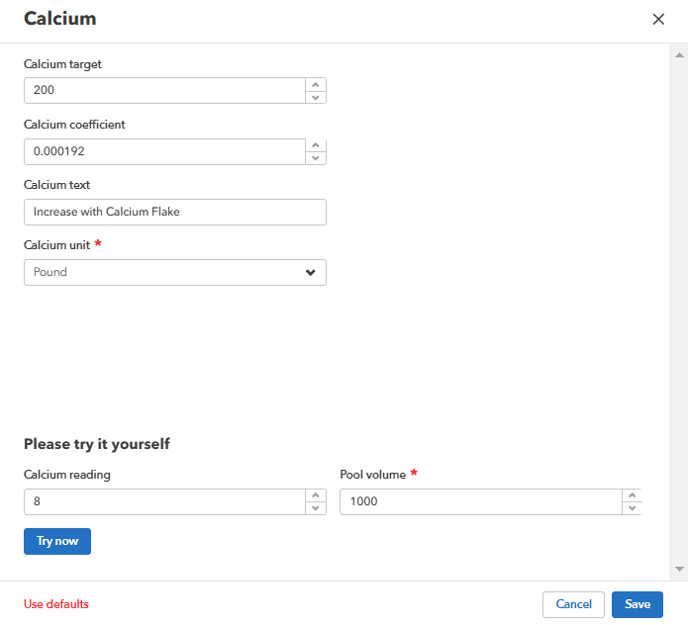
Target: Level in to calculate end-state chemistry adjustment
Coefficient: The mathematical coefficient in the formula to adjust the level.
Please be sure to test any changes in the module. - Sanitation Options - Customize the color and name of your sanitation options

- After making any changes, click "Save"
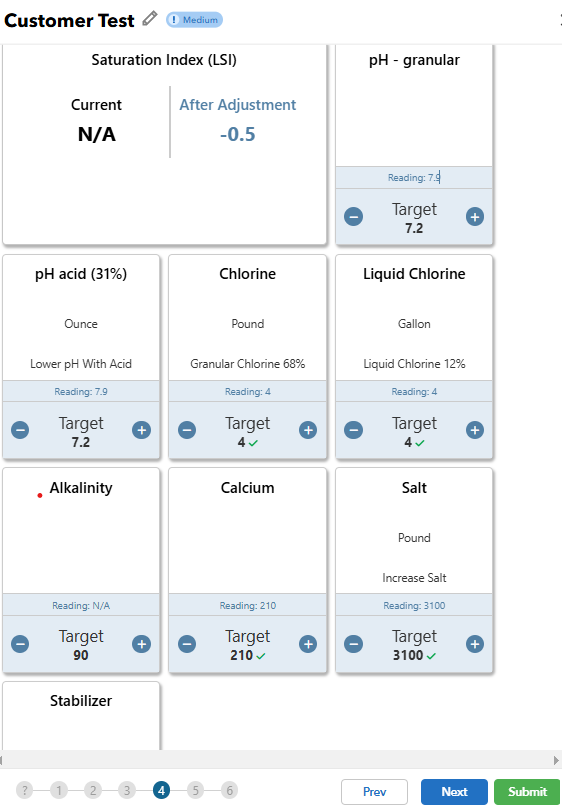
- Field Use
When in the field, the calculations will be based upon the settings. Targets can manually be adjusted by pressing the + and - button on the app, to produce an adjusted chemistry calculation for the target.