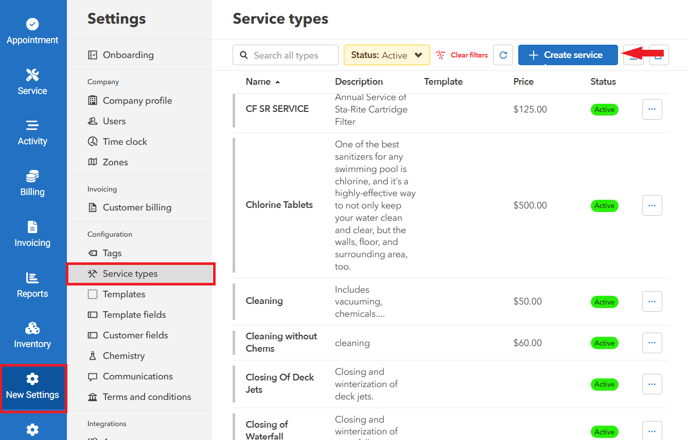
- Go to "Settings" > "Service Types" > Click "Create service"
- Input the Name, Description, and Price of the service type.
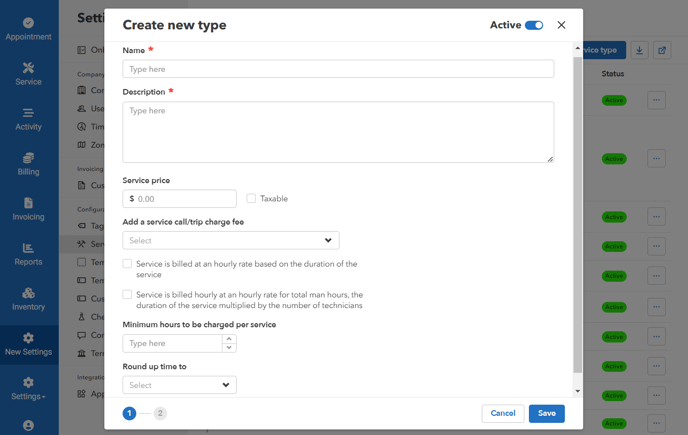
Taxable - applies tax to the price of this type.
Service call/trip charge fee - Allows you to assign a service call fee to this type of service
Minimum hours to be charged per service
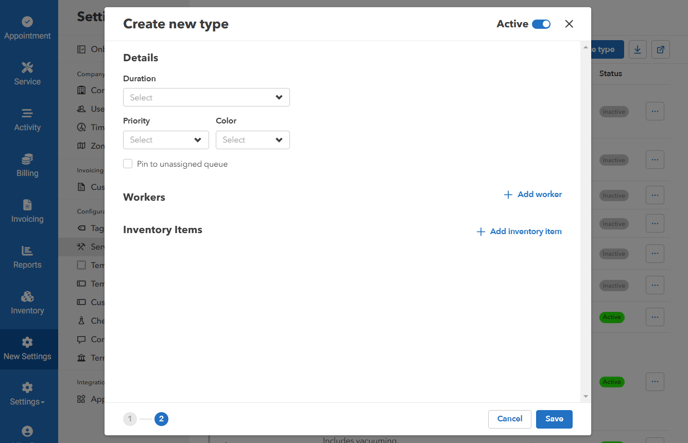
Round up time - Add Details, Workers, and Inventory Items
To make a service type active/inactive
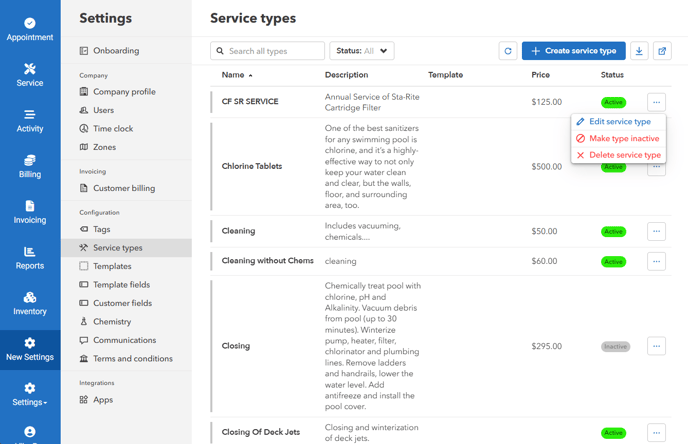
- Click on the ellipsis icon > "Make type inactive/active"